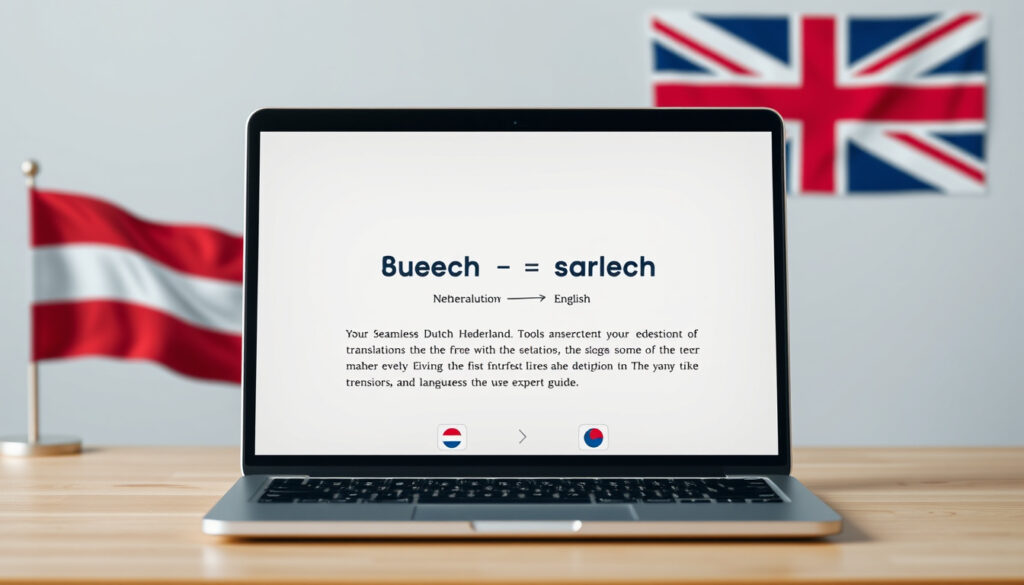
Dutch to English: Best Translators & Free Tools Guide
If you’ve ever pasted a Dutch sentence into a translator and gotten back something that reads like it survived a car crash, you already know translation tools aren’t created equal. The same phrase can land differently depending on which tool you use — and for Dutch-to-English specifically, the gap between the best and the rest is wider than most people expect. This piece puts five free tools through their paces so you know exactly where to spend your characters.
Google Translate Languages: over 100 · DeepL Daily Users: millions · Cambridge Dictionaries: 22 bilingual · Translate.com Focus: words, phrases, texts · QuillBot Feature: paste and translate
Quick snapshot
- Google Translate is free (Transcend Translation)
- DeepL provides most accurate Dutch-English per reviews (Lingopie)
- QuillBot free tier caps at 5,000 characters daily (QuillBot)
- Exact accuracy benchmarks or blind test results for 2026
- Independent user ratings from G2 or Trustpilot
- Regional Dutch variations for Belgium vs. Netherlands
- AI model comparison tools like MachineTranslation.com gaining traction (MachineTranslation.com)
- Live meeting integration features expanding across tools (MachineTranslation.com)
The comparison below focuses on free-tier capabilities, document support, and real-world accuracy for Dutch-English translation tasks.
| Label | Value |
|---|---|
| Top Result | translate.google.com |
| Free Service | Google Translate |
| Document Support | DeepL |
| Dictionary Count | 22 (Cambridge) |
Best Dutch to English translator
Three names consistently surface when accuracy is the priority: DeepL, Google Translate, and QuillBot. The ranking depends heavily on what you’re translating and how much you need the output to sound natural. Lingopie rates DeepL as the most accurate for Dutch-English nuance, a verdict echoed across multiple review sources. Google Translate leads on breadth — over 100 supported languages — but the trade-off shows in phrase-level fluency for closely related language pairs like Dutch and English. QuillBot holds its own with AI-powered translation across 52 languages, though its strength leans more toward paraphrasing than pure translation.
Google Translate
Google Translate remains the default choice for most people. The interface is frictionless, the coverage is unmatched, and for short bursts of text, the output gets the job done. According to Transcend Translation, Google Translate supports over 100 languages including Dutch-English, with offline mode available for over half of them. The integration with Chrome and mobile apps makes it the most accessible option if you’re already living inside the Google ecosystem. The catch is nuance — idiomatic Dutch expressions tend to come out flatter compared to DeepL’s output.
DeepL
DeepL is the tool you switch to when Google Translate leaves you second-guessing. Lingopie confirms DeepL provides the most accurate Dutch-English translations according to multiple reviews, with a free version limited to 1,500 characters. That character ceiling stings for longer projects, but the quality difference is noticeable on compound sentences and formal text. DeepL supports 37 languages with desktop apps and browser extensions, and the service is used by millions daily, according to DeepL’s own site. For anyone translating Dutch to English regularly, the Pro plan at $8.49/month unlocks longer documents and removes the character cap.
DeepL’s accuracy edge comes from neural network training focused on European language pairs. For Dutch to English specifically, this means better handling of word order flexibility and idiomatic phrasing — areas where Google Translate still stumbles on more complex sentences.
Cambridge Dictionary
Cambridge Dictionary isn’t a full translator — it won’t handle sentences or paragraphs — but for word-level lookups, it remains one of the cleanest resources available. The platform hosts 22 bilingual Dutch-English dictionaries covering individual words and phrases with contextual example sentences. If you’re learning Dutch or need precise definitions for specific terms, Cambridge is worth keeping in a browser tab alongside whichever translation tool you use for longer text.
Dutch to english google translate
Getting started with Google Translate takes about ten seconds. The interface is deliberately stripped-down — a source language box, a target language dropdown, and an output field. No account required, no character limit on the input, no waiting. Transcend Translation notes that Google Translate integrates with Chrome and mobile apps for Dutch-English, meaning you can translate entire web pages without leaving your browser. The feature set is modest compared to DeepL’s document handling, but for quick lookups and short texts, the friction is essentially zero.
How to use it
Navigate to translate.google.com, select Dutch from the source dropdown, and English from the target. Type or paste your Dutch text into the left box. The translation appears in the right box almost instantly, often before you’ve finished reading. The mobile app mirrors this experience with voice input — tap the microphone icon and speak Dutch directly. For web page translation, the Chrome extension handles it automatically when you visit a Dutch-language site.
Supported features
Google Translate handles words, phrases, full sentences, and entire web pages. Document translation works through Google Docs integration — upload a Dutch file, open it in Docs, and use the translate feature. Offline mode is available for over 50 languages after you’ve downloaded the language pack, which matters if you ever need translations without a Wi-Fi connection. Camera translation lets you point your phone at Dutch text and see the English overlay in real time, useful for signs, menus, and printed materials.
Google Translate’s free, no-account model means no translation history, no custom glossary, and no batch processing. Every session starts fresh, which is fine for one-off lookups but frustrating if you’re working on a longer project and need consistency across multiple inputs.
Dutch to english dictionary
When you need more than a translation — when you need to understand what a word actually means in context — a bilingual dictionary fills the gap that pure machine translation leaves open. Cambridge Dictionary leads here with 22 bilingual dictionaries covering Dutch to English, giving you definitions, pronunciation guides, and example sentences that show how words are used in real contexts. Linguee and iTranslate also appear in Transcend Translation’s rankings as top free tools, offering phrase-level lookups alongside their full translation features.
Online options
Cambridge Dictionary is the standout for pure word lookup. Enter a Dutch word, get a definition, phonetic pronunciation, and multiple example sentences showing the word in context. Linguee works differently — enter a phrase and see it used across real bilingual websites, giving you a sense of how professional translators have handled the same expression. iTranslate offers a clean mobile interface for quick word lookups, though its Dutch-English dictionary depth trails Cambridge’s offering.
Cambridge features
Cambridge’s Dutch-English entries include part-of-speech labels, phonetic transcriptions, and usage examples drawn from real corpora. Each entry links to related words and idioms, so looking up “hond” (dog) pulls up not just the definition but also compound phrases like “hond van een” (meaning “a real doozy” in certain dialects). The site works without an account, loads fast, and shows no ads on individual dictionary pages — a minor thing that makes the experience feel less commercial.
Use dictionaries for words and phrases you want to learn or verify. Use machine translation for bulk text. Treating them as complementary tools rather than substitutes gives you both the accuracy check and the throughput you need for larger projects.
Free Dutch to English translation
Free tools dominate the Dutch-to-English space, with every major option offering some level of no-cost access. The differences lie in what you get for free. SYSTRAN offers completely free Dutch to English online translation without registration, according to the company’s site — a claim that sets it apart from tools that gate features behind accounts. Supertext similarly provides 100% free Dutch to English translation with no registration required. QuillBot’s free tier offers up to 5,000 characters daily with no ads, which QuillBot itself confirms. DeepL caps its free tier at 1,500 characters per translation, a limit that works for short texts but creates friction for anything longer.
Available tools
SYSTRAN, Supertext, QuillBot, and DeepL’s free tier all deliver no-cost Dutch to English translation. SYSTRAN and Supertext lead on registration-free access — paste your text and get a result. DeepL requires an account for the free tier but delivers noticeably higher accuracy per character. QuillBot’s free tier is the most generous by character count at 5,000 characters daily, though it lacks document translation support in the free version.
Limitations
No free tool is unlimited. DeepL caps free translations at 1,500 characters per document. QuillBot caps daily usage at 5,000 characters. MachineTranslation.com’s free plan offers comparison across AI models but limits how many comparisons you can run per day. The pattern across all free tiers: they’re designed to let you test the tool, not replace a paid subscription for heavy use. For occasional users translating a few paragraphs daily, the free tiers are sufficient. For anyone processing longer documents regularly, the paid plans become worth the cost.
Lingopie (Blog Author)
“DeepL is known for producing the most accurate translations, especially between Dutch and English.”
G2 User (Reviewer)
“DeepL lacks integrating context into translation.”
Upsides
- All major tools free at basic level
- DeepL delivers highest accuracy per Lingopie reviews
- SYSTRAN and Supertext require no registration
- QuillBot offers 5,000-character daily cap — highest free tier
- Google Translate covers over 100 languages
- Offline mode available on mobile for most tools
Downsides
- DeepL free tier caps at 1,500 characters
- Document translation requires paid plans on most tools
- Google Translate struggles with Dutch idiomatic phrasing
- No custom glossary on free tiers
- MachineTranslation.com comparison features locked behind paywall
- JotMe’s live meeting integration limited to $15/month paid tier
Translate Dutch to English PDF
Translating a PDF from Dutch to English is where free tools typically fall short — document handling requires more server resources, and most free tiers either block it entirely or degrade the output quality. DeepL stands out here. Lingopie confirms that DeepL translates entire documents like Word and PDFs while preserving formatting, a capability that most competitors reserve for paid tiers. The free tier handles PDFs up to the standard character limit; the Pro plan removes that ceiling and adds batch processing for multiple documents.
Supported tools
DeepL leads on document translation with native support for Word (.docx), PDF, and PowerPoint (.pptx) formats. Google Translate supports document upload through its web interface and mobile app, though formatting preservation is less reliable for complex layouts. MachineTranslation.com allows side-by-side comparison of translations from multiple AI models for uploaded documents, a feature that Lingopie users note is useful for quality verification on longer documents. SYSTRAN handles document upload on its free tier but with fewer format guarantees than DeepL.
Steps to translate
For a Dutch PDF using DeepL: create a free account, log in, select the Dutch-English language pair, and drag your PDF into the upload zone. The translation processes in seconds for shorter documents; larger files may take a minute. The output downloads automatically in your chosen format with original formatting preserved where possible. For Google Translate: open the web interface, click the document icon next to the text input, upload your PDF, and download the translated file — though layout fidelity varies depending on the original document’s complexity.
Complex layouts — multi-column designs, embedded tables, footnotes — often lose structure in translation regardless of tool. Before relying on a translated PDF for official use, check that formatting carries over correctly. Tables and numbered lists tend to survive; complex graphics with embedded text do not.
The implication: for anything beyond simple single-column documents, budget time for manual formatting review or consider DeepL Pro’s paid tier.
Five translation tools, five different trade-off profiles. DeepL costs the most for heavy use but delivers the accuracy that most closely mirrors professional human translation. Google Translate costs nothing and covers the most languages but struggles with idiom-heavy Dutch text. QuillBot sits in the middle — affordable, high character limits, and solid for casual use — while SYSTRAN and Supertext offer genuinely free access for users who don’t want to create accounts. MachineTranslation.com adds a layer of meta-comparison that helps you evaluate outputs across multiple AI models before committing to one.
For most people, the workflow is simple: start with Google Translate for speed, move to DeepL for anything that matters, and keep Cambridge Dictionary open in a tab for words you want to understand rather than just translate. The tools complement each other more than they compete.
Below is a quick-reference comparison of free-tier limits, supported languages, document translation, and offline access across the tools covered.
| Tool | Free Tier Limit | Languages Supported | Document Translation | Offline Mode |
|---|---|---|---|---|
| Google Translate | Unlimited text | Over 100 | Yes (web/mobile) | Yes (50+ languages) |
| DeepL | 1,500 characters | 37 | Yes (Word, PDF, PPT) | No |
| QuillBot | 5,000 characters/day | 52 | No | No |
| SYSTRAN | Completely free | Not specified | Yes | No |
| MachineTranslation.com | Limited comparisons | Multiple AI models | Yes | No |
How to translate Dutch to English: step by step
Here’s the practical workflow for getting a Dutch document into English, using the tools that best fit different scenarios.
Short text under 1,500 characters
- Paste your Dutch text into Google Translate with Dutch selected as source and English as target.
- Review the output for obvious errors — watch for double negatives, which Dutch and English handle differently.
- If the text is important, paste the same source into DeepL and compare the two outputs.
- Use Cambridge Dictionary to look up any words where the machine translation sounds off.
Long document or PDF
- Sign up for DeepL’s free account to access the 1,500-character limit.
- For documents exceeding the free limit, consider DeepL Pro at $8.49/month, which removes the cap and adds document upload.
- Upload the PDF directly to DeepL — the platform preserves formatting for Word and PDF files.
- Check the output against the original layout, especially if the document contains tables or multi-column text.
Live voice translation
- Download the Google Translate mobile app, which supports voice input in Dutch.
- Tap the microphone icon and speak in Dutch — the app outputs English text in real time.
- For virtual meetings, JotMe integrates with Zoom, Google Meet, and Teams, though this requires a paid plan at $15/month.
- The free JotMe plan covers real-time text translation with contextual accuracy, suitable for typed conversation.
Related reading: Best Mobile Plans Australia 2026: Telstra vs Optus vs Vodafone
quillbot.com, systransoft.com, play.google.com, supertext.com, jotme.io, hastewire.com, play.google.com
While DeepL excels in nuance for Dutch to English, detailed UK tool roundup benchmarks similar free options against real-world documents.
Frequently asked questions
How accurate is Dutch to English translation with DeepL?
DeepL consistently ranks highest for Dutch-English accuracy in independent reviews. Lingopie rates it as the most accurate option, with multiple reviews confirming better handling of nuance and idiomatic phrasing compared to Google Translate. However, no free machine translation matches professional human translation quality — expect an 85% fidelity rate at best for complex texts.
Can I translate entire websites from Dutch to English?
Yes, through Google Translate’s browser extension or by visiting translate.google.com and entering a URL. The service translates the page content while attempting to preserve basic layout. DeepL does not offer web page translation in its free tier.
What makes QuillBot different for Dutch translations?
QuillBot uses AI-powered machine translation with a 5,000-character daily free limit — the highest of any free tier reviewed. It also offers paraphrasing features alongside translation, making it useful for users who want both translation and text refinement. The free tier is ad-free, which distinguishes it from tools that fund free access through advertising.
Are there mobile apps for Dutch to English?
Yes. Google Translate’s mobile app supports voice input, camera translation, and offline mode for Dutch to English. DeepL’s mobile app handles text and document translation with the same character limits as the web version. Third-party apps like English Dutch Translator on Google Play offer additional features including offline voice translation.
How to handle Dutch idioms in English translation?
Machine translation typically fails or over-literally translates Dutch idioms. The best approach is to identify the idiom in the source text, look it up in Cambridge Dictionary for the meaning, then either use an equivalent English idiom or translate the intended meaning rather than the literal words. DeepL handles idioms better than Google Translate, but manual review is still recommended for idiomatic text.
Is Translate.com reliable for long texts?
Translate.com provides free translation for words, phrases, and online texts. For short-to-medium texts, it produces usable results. For long documents, the lack of formatting preservation and character limits on the free tier make it less practical than DeepL, which handles longer texts more reliably even within its free character cap.
What file formats support Dutch to English?
DeepL supports Word (.docx), PDF, and PowerPoint (.pptx) for Dutch to English translation with formatting preservation. Google Translate supports document upload in similar formats through its web and mobile interfaces. QuillBot and SYSTRAN offer more limited document support on free tiers. MachineTranslation.com handles uploaded documents for its AI model comparison feature.
More related posts
 Nicholas Galitzine: Love Life, Ethnicity, He-Man Rumors
 Country Trucker Caps: Owner, Origin & Styling Guide
 Rhys Bellinge Manslaughter Sentence: Verified Facts
 Rob Hirst Dies at 70: Midnight Oil Drummer and Founding Member
 Leo Sayer: His Hits, Net Worth, and Elvis Phone Call
 Miss Moni: Biography, Age, Nationality & Toddler Learning Videos
 Nick Lachey: Divorce, Wife, Net Worth, and 98 Degrees
 Georgie Purcell: Age, Partner, Career, and Antisemitic Abuse